
Article info sourced from Microsoft Learn (original link[1]).
Power Apps and Dynamics 365 activities are tracked from the Microsoft Purview compliance portal[2].
Follow these steps.
- Sign in to the Microsoft Purview compliance portal as a tenant admin.
- Select Search → Audit log search.
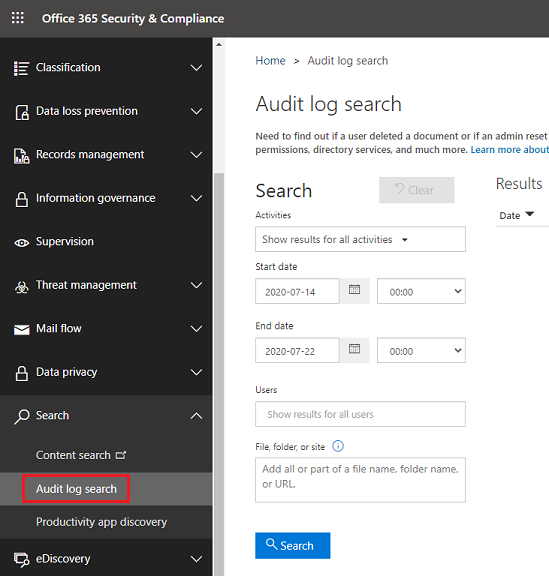
Within the Audit log search screen, Power Platform admins can search audit logs across many popular services including eDiscovery, Exchange, Power BI, Microsoft Entra ID, Microsoft Teams, customer engagement apps (Dynamics 365 Sales, Dynamics 365 Customer Service, Dynamics 365 Field Service, Dynamics 365 Marketing, and Dynamics 365 Project Service Automation), and Microsoft Power Apps.
Once the Audit log search screen is accessed, an administrator can filter for specific activities by pulling down the Activities dropdown.
For Dynamics 365 related activity, check all of the Dynamics 365 activity boxes and sent the start and end date to the maximum 180 days.
Click search and export the data.